

Temp email for OTP works when three things line up: the site sends its code by email, it accepts disposable addresses, and the code lands before the inbox closes. Most codes arrive in seconds, and most expire within 10 to 15 minutes. When any of those three fails, the code never reaches you, and no temp inbox can fix that.
The ten-minute rule behind every code
The standard that governs login codes says a code-based sign-in step has to finish within ten minutes. That rule comes from NIST, in its digital identity guidelines SP 800-63B-4. It was written for the services that send codes. It still explains why temp email for otp works as well as it does, and where the fit breaks.
NIST draws a line other guides leave out. The Tmailor OTP guide summarises it this way: email must not be used for out-of-band authentication, while codes that only confirm an email address fall outside that rule.
A signup code is usually the second kind. The site wants proof you control the address you just typed in. That is a smaller job, and a disposable inbox can do it.
A code that confirms an address is a one-off check. Once it passes, the site has what it needs, and the address can disappear.
A code that guards a login is different. It protects an account you will return to, and the inbox behind it has to be there next month too. Temp email for OTP handles the first job. It was never built for the second.
Temp email for OTP is a tool for codes that confirm an address on a signup you do not plan to keep. Everything else in this article follows from that sentence.
How an OTP actually travels from the site to your inbox
An email OTP starts as a row in the sending service’s database. You submit a form, the service generates a short code, stores it with an expiry time, and hands the message to its mail server. From there it travels the same standard path as any email. The sender’s server looks up the receiving domain and delivers the message, and the temp mail server accepts it into the inbox.
Nothing about that path is special to disposable addresses. A temp inbox accepts mail over the same standard SMTP path as a permanent mailbox, as the Tmailor guide to OTP delivery puts it. That is the whole mechanism behind temp email for otp. The inbox is ordinary; only its lifetime is short.
Most codes arrive fast. Verification mail usually lands within seconds, and the temp mail inbox shows it at once. The delay, when there is one, usually sits with the sender. Some services batch their mail and flush the queue every few minutes.
Some run anti-abuse checks before they release a code. A receiving server can also defer the first delivery attempt, a spam control technique called greylisting, and the code only arrives after the sender’s mail server retries. None of that is visible from your side. All you see is an empty inbox and a ticking clock.
The code’s expiry comes from the sending service. Your email provider only delivers the message.
Most codes expire within 10 to 15 minutes, according to Temp Mailmate, and the screen or the email usually says how long you have. Treat the countdown on the screen as the real limit, because a code that arrives after its own expiry is useless even if the inbox is still open. That gives every temp email for OTP attempt two clocks, and the next sections are about what happens when they disagree.
Email codes, text codes, app codes, passkeys
Not every code travels by email, and the channel decides whether temp mail can help at all. Four methods cover nearly every login screen, and only the first one touches an inbox. For temp email for OTP, the email row is the only one that matters, and the other three explain what to do when the site does not use it.
| Method | Where the code comes from | Main weakness | Phishing-resistant? | Can temp mail help? |
|---|---|---|---|---|
| Email OTP | Sent to an inbox | Anyone who can open that inbox can read the code | No | Yes, for low-stakes signups that accept disposable email |
| SMS OTP | Sent to a phone number | SIM swaps, recycled numbers | No | No, temp mail has no phone number |
| Authenticator code (TOTP) | Generated on your device | The code can still be phished | No | No, it lives in an app on your device |
| Passkey | A credential on your device | A weaker fallback can stay the weak spot | Yes | No, it is tied to your device |
Email and SMS codes look alike on the screen, a short string of digits with a countdown, but they fail in different ways. An email code is only as safe as the mailbox it lands in. An SMS code adds risks the inbox never had.
A study the Tmailor guide cites monitored 29 public SMS gateways for a year and collected more than 70 million messages sent to 17,141 numbers, which shows how much code traffic flows through numbers nobody owns. A Princeton study of number recycling at two US carriers, also cited in the same guide, found 215 of 259 sampled available numbers were recycled and vulnerable to at least one attack, and 171 of the 259 exposed their new owner to account takeover through password recovery at six popular websites. Nineteen of 200 recycled numbers still received security-sensitive messages, such as passcodes, within a week.
That is the fact that cuts against the simple version of temp email for otp. SMS looks like the safer channel because a phone feels personal, and the numbers say otherwise for recycled numbers. It does not make temp mail safe for important accounts. It makes the choice of channel worth thinking about before you hand any address or number to a form.
For accounts that matter, the upgrade path is clear. The Tmailor guide cites CISA’s fact sheet on phishing-resistant MFA. That fact sheet places app-based codes above SMS or voice codes, which it calls a last resort option, and describes FIDO and WebAuthn as the only widely available phishing-resistant authentication. An authenticator app or a passkey protects you better than any code that has to be delivered to you, on any channel.
The same guide notes that MDN’s guide to one-time passwords reaches a similar conclusion. All forms of OTP are vulnerable to phishing. SMS is much weaker than email against interception, and passkeys are the better choice for general sign-in.
That table is the whole decision. If the site sends its code by email, temp email for otp can catch it. If it sends anything else, it cannot.
How to get a code with temp email for otp on tempmail.pw
The 10 minute mail page on tempmail.pw (https://tempmail.pw/en/10minutemail) issues the address the moment it loads, and the whole flow for temp email for otp on tempmail.pw takes less than a minute.
- Open the page. Your temporary address is ready at once, with the countdown already running next to the copy button.
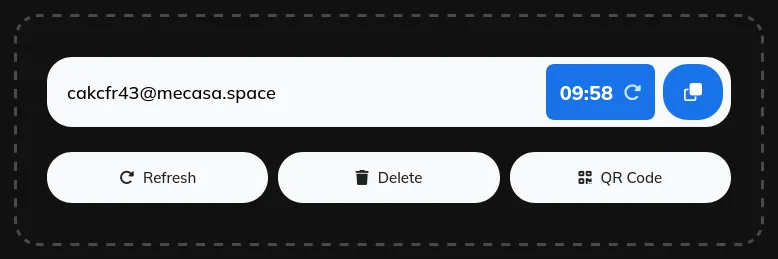
Step 1: your 10 minute mail address is ready with the countdown running
- Copy the address. Use the copy button so you do not mistype it.
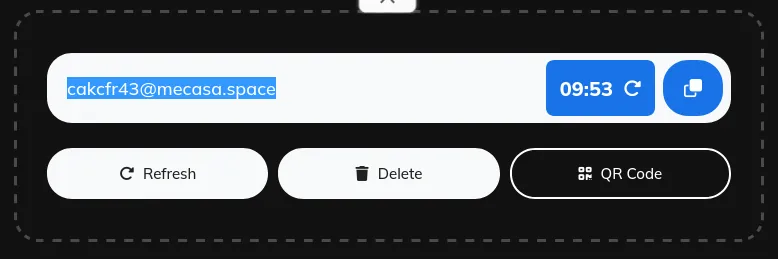
Step 2: copy your 10 minute mail address with one click
- Paste it into the form that asked for an email, then submit the form and request the code.
- Watch the inbox on the same page. The code usually appears within seconds.
- Copy the code, paste it into the verification form, and finish the signup while the timer is still running.
Two details decide whether temp email for otp works smoothly. The refresh icon next to the countdown restarts the timer at ten minutes on the same address, so if the code is slow, restart the clock before it hits zero instead of generating a new address. A new address means restarting the signup, because the site already has the old one. And when the timer does hit zero, the page refreshes with a brand new address and an empty inbox, and the old address and its messages are gone.
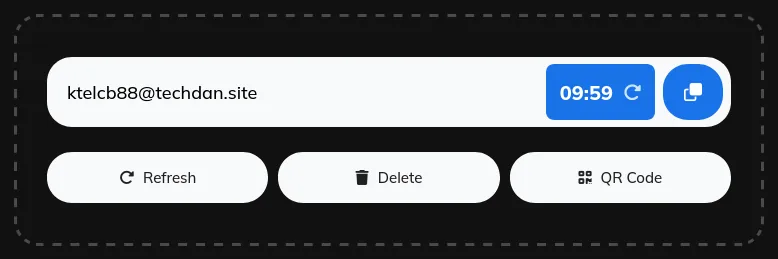
Step 3: restart the 10 minute mail countdown with the refresh icon
Pick the window before you start any temp email for otp attempt. Five minutes fits one code that arrives fast, and the 5 minute mail page (https://tempmail.pw/en/5minutemail) says so plainly: the address exists only for the code, and the code is the only thing you need from it. Ten minutes covers the ordinary signup.
Twenty or thirty minutes fits a flow with a second email, and sixty minutes fits a slow sender or a wait for a person. The longer timers work the same way. They only wait longer before cleaning up. The 10 minute mail pillar on this blog covers the timer choice in full, window by window (https://tempmail.pw/blog/10-minute-mail/).
If the signup is not a timer job at all, the home page (https://tempmail.pw/en/) issues a plain temporary address, and the guide on this blog explains that service step by step (https://tempmail.pw/blog/what-is-temp-mail-ninja/). The timer pages are for jobs with a known, short deadline. The home page is for everything else. And if the signup needs an academic style address instead, the edu temp mail guide on this blog covers that case (https://tempmail.pw/blog/what-is-edu-temp-mail/), and the generator is at https://tempmail.pw/en/edu-mail-generator.
Two clocks decide whether the code works
Every OTP has two clocks, and they run independently. The first is the code’s own validity, set by the sending service, usually 10 to 15 minutes. The second is the inbox lifetime, set by the temp mail page, 5 minutes on the shortest timer and 60 on the longest.

Two clocks run on every code: the code’s own expiry (usually 10 to 15 minutes) and the inbox lifetime (5 to 60 minutes on tempmail.pw). The code works only while both are still running.
The code works only while both clocks are still running. When either one hits zero first, that temp email for otp attempt fails, and the fix depends on which clock ran out. Two clocks decide every temp email for otp attempt, so it helps to know which one you are watching.
A code that expires before you paste it is the more common failure. You read the code, switch tabs, get distracted, and the service rejects it as expired.
The inbox is fine. The code is dead. Request a fresh code and paste it at once, without switching away first.
An inbox that expires before the code arrives is the sneakier one. The sender queued the mail, the timer ran out, and the page refreshed with a new address while the code was still in transit. The code may still arrive, addressed to an inbox that no longer exists, and nobody will ever read it. Restarting the timer before it hits zero prevents this, which is why the refresh icon matters more than it looks.
Resending the code has a trap of its own. A new code often cancels the previous one, and pressing resend again and again can trigger a cooldown that locks the form for a while. The fix is to resend once, after the on-screen timer ends, and then use only the newest code that arrives. An older code pasted after a resend will fail even if it looks right, and that failure looks exactly like a broken inbox when it is not.
So the working rule for temp email for otp is short. Copy the code the moment it appears and paste it at once. If the sender is slow, restart the timer before it hits zero. If the code still has not arrived after a minute or two, the problem is usually not the timer, and the next sections cover what it is.
Temp mail, alias, or real email for a code
Three kinds of address can receive a code, and they differ in what happens after the code arrives. That difference decides the choice for temp email for otp, so it is worth seeing side by side.
| Address | What happens to the mail | Can you return to it later? | OTP fit |
|---|---|---|---|
| Temp mail | Arrives in a disposable inbox, then deletes with the address | No, expiry is final | One code for one signup |
| Email alias | Forwards to your real inbox, where messages stay | Yes, as long as the alias exists | Codes you may need again, with your real inbox shielded |
| Real email | Arrives in the inbox you own | Yes | Accounts you keep, with recovery |
An alias is the middle option most people skip when they think about temp email for otp. AdGuard describes aliases as forwarding addresses: messages sent to an alias land in your primary mailbox, where you can keep them as long as you like, and deleting an alias does not delete the messages already there. A temp address works the other way. It receives the mail and then deletes itself with the address, and nothing can bring it back.
That difference decides the choice. If the signup sends one code and you will never need that account again, temp email for otp is the lightest tool for the job. If the service might send a second code later or a password reset, an alias keeps the route open without exposing your real address. If the account matters enough to recover, use the real address and turn on an authenticator app once the account is set up.
One more detail from AdGuard’s own support page is worth knowing before you pick. A temp address cannot accept attachments, and you cannot reply from one. For a code, neither limit matters. For anything that turns into a conversation, an alias or a real address is the right call.
Why the code never arrives
When temp email for otp fails, the cause usually falls into one of three groups, and each needs a different response. Check them in this order before you assume temp email for otp is the problem. One honest note first: no named service was tested with a temp address for this article (15 Nov 2026), so this guide names no service as accepting or blocking disposable email. The patterns below come from the sources listed at the end.
The site refuses disposable addresses
Some services check signups against lists of disposable domains. They may reject the address at the form with an error, or accept the form and never send the code. AdGuard puts the practical side plainly: more domain options mean a lower risk of rejection, and if an address is not accepted, try an address with a different domain.
If the site consistently blocks disposable domains, use an address you own. That is the honest move, and it is also the fastest one. Cycling through fresh temp addresses to wear the check down turns a privacy tool into an evasion tool, and it can get the new account restricted.
The sender is slow
Verification mail is often batched, and some senders run their own deliverability checks before releasing it. Greylisting can also hold the first attempt until the sender retries. Wait a full minute, then use the site’s resend option once. If the code still has not arrived after a couple of minutes on a live inbox, the block is the likelier cause, and a different domain or a real address will tell you which one it is.
The code went somewhere else
It may have gone to the email already on file for an existing account, or to another channel entirely, such as SMS or an app prompt. It may also have gone to an address you mistyped by one character. Check the confirmation screen and compare the address shown there with the inbox you are watching, character for character.
A single missing code usually points to the sender or its address policy. Nothing arriving from several unrelated senders points to the inbox or the receiving service, and that is a different problem. Work through the three causes in order, and most temp email for otp failures explain themselves before you try a second address.
Where temp mail for OTP stops being a good idea
The line is simple to state and easy to ignore in the moment. If losing the address could cause trouble later, temp email for otp is the wrong tool. Use an address you will keep control of for the long term.
Banking, payment services, government portals, and work accounts all sit on the wrong side of that line. So do healthcare and crypto wallets. The same goes for any social or shopping account you plan to keep.
The pattern is the same in every case. You sign up with a temporary inbox.
Months later you forget your password, and the site sends a recovery link to an address that no longer exists. There is no way to receive that message, and no support ticket can bring the inbox back. Social and software platforms often re-verify when you log in from a new device, and if the original signup address is gone, you cannot complete the check and may lose access.
Two-factor authentication on an account you value belongs on an authenticator app. A disposable inbox cannot hold that job. An expired inbox means a locked account, and the code that would have unlocked it is gone with the address. The same rule covers banking codes sent to temp email for otp inboxes: even if a code arrives, losing mailbox access can block recovery and later verification, and the service may reject disposable addresses under its own policies.
Phishing still works in a disposable inbox. A message can look legitimate and still be a trap, and a short lived address does nothing to stop that. The CISA guidance on phishing gives the rule that covers it.
Be suspicious of unsolicited messages asking for personal information. Do not follow links sent in email. Verify the sender through a contact method you already trust, not through anything in the message itself.
Never give a code to a person who contacts you and asks for it. Enter a code only in the service or app where you started the verification.
Testing signup flows? Measure the first code
Developers who test their own signup flows with temp email for otp hit OTP problems at scale. Resend storms pile up. Codes land after a test step has moved on. And nobody owns the failure.
The fixes are procedural. Test with more than one address and cap resend attempts. Track time to first OTP as a metric so regressions show up in the numbers instead of in a support queue.
That last metric is the one most teams skip, and it is the one that catches a slow sender before users do. A code that arrives in five seconds and a code that arrives in four minutes look identical in a pass or fail test. They feel very different to a person staring at a countdown.
If your flow sends codes by email, measure the delay and set a budget for it. Treat a breach of that budget the way you would treat any other failed check. A temp email for otp test that only checks pass or fail will miss a sender that got slower last week.
For a worked example, see this hands-on lesson on testing a signup form with a temp email.
Frequently asked questions
Can temp mail receive OTP codes?
Yes, temp email for otp works when the code arrives by email. Generate an address, paste it into the signup form, and the code usually appears in the inbox within seconds. It has to land while the inbox is open, and the site must accept disposable addresses. SMS codes need a phone number, and no email inbox can receive those.
Can I use temp mail for OTP on my bank?
No, do not. A bank account needs recovery and later verification, and both go to the address you signed up with. Once a temp inbox expires, that route is gone for good, and the bank may reject disposable addresses under its own policies anyway. Use a permanent address and an authenticator app for anything tied to money.
Why did my OTP arrive after my inbox expired?
The sender queued the mail, and the timer ran out while the code was in transit. On tempmail.pw the page refreshes with a new address and an empty inbox, so a code sent to the old address has nowhere to land. Restart the timer with the refresh icon before it hits zero, or start with a longer window next time.
How long does an OTP code stay valid?
The sending service sets the expiry for temp email for otp, not your email provider. Most codes expire in 10 to 15 minutes, and the screen usually says how long you have. Login codes often last only a few minutes, while email verification links may last longer. Treat the countdown on the screen as the real limit.
Can temp mail receive SMS codes?
No, temp email for otp cannot help with SMS codes. SMS codes travel over the mobile network to a phone number, not to email servers, so no email inbox can receive them. Services that verify by phone need a real number. Avoid public receive-SMS sites: anyone can read the codes they display.
Check the channel first
Before you paste a temp address into any form, find out whether the site sends its code by email or by text. That single fact decides whether temp email for otp works at all.
If the answer is email, open the 10 minute mail page on tempmail.pw (https://tempmail.pw/en/10minutemail) and take one address. Use it for a single low-stakes signup or a download that wants your email first. Watch the code land and use it, then let the timer run out. That is temp email for otp done right: one address, used once, then gone.
If the answer is SMS, stop there. No email tool will receive that code, and a public receive-SMS site is worse than useless for anything you care about. Keep your real address for the accounts that need to last, and keep the disposable one for the codes that do not.
Subscribe to our email newsletter to get the latest posts delivered right to your email.
Comments