

You want a Facebook account without handing Facebook your real email. Temp mail for Facebook works for the signup. You paste a temporary address into the form, Facebook sends a confirmation code or link, and you confirm it in the temp inbox. The account stays yours for years, the inbox lasts days, and password resets and security checks go to an address that no longer exists.
Quick facts
- Last tested: 27 Nov 2026. This guide re-checked the tempmail.pw pages that day. This article tested no Facebook signup with a temp address.
- Disposable accepted? Facebook publishes no list of refused domains, and this article tested no signup. Facebook rejects some disposable domains at signup, or the confirmation email never arrives.
- What Facebook needs: an email address or a mobile number, plus confirmation of whichever one you used.
- One account per person: Facebook’s rules allow one personal account per person, under the name you use day to day.
How Facebook checks your email
Facebook asks for a name, an email address or a mobile number, a password, a birth date, and gender. Then it sends a confirmation code or a link to the contact you entered. You cannot fully use the account until you confirm it.
The code is usually six digits. It can also arrive as a link you click. Either way, confirm right away. Facebook says it may delete an account left unconfirmed after a year of inactivity, so a code you never enter is not a small delay.
If the code does not show up, check the spam folder first, then use the resend option, labelled Send email again. Ask for a new code once, not five times in a row. A fresh code can cancel the one before it.
Our OTP guide explains the two clocks behind that: the code’s own expiry and the inbox lifetime.
Treat any message that claims to be from Facebook with care, and ignore a code you did not ask for. The CISA guidance on phishing says to verify the sender through a contact method you already trust, not through anything inside the message itself.
Signing up with temp mail for Facebook
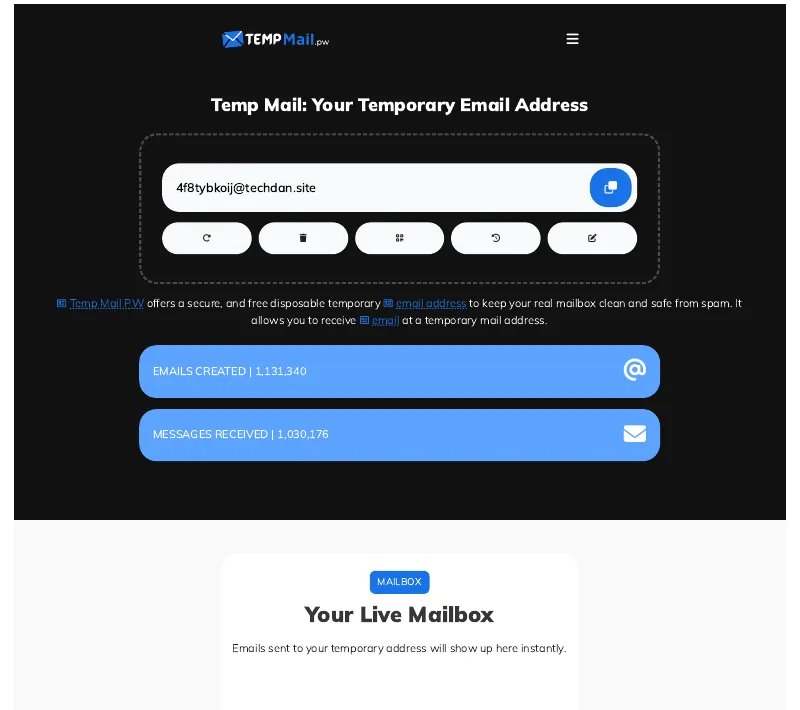
The home page issues the address the moment it loads, and the steps are short.
- Open the home page. Your temporary address is ready at once, with no form to fill in and no account to create.
- Copy the address. Use the copy button so you do not mistype it.
- Open Facebook and click Create new account. Enter your name, the temporary address, a password, your birth date and gender, then click Sign up.
- Watch the temp inbox on the same page. The Facebook verification code email usually appears within seconds.
- Enter the code in Facebook, or click the confirmation link in the message. Save your password in a password manager before you close anything.
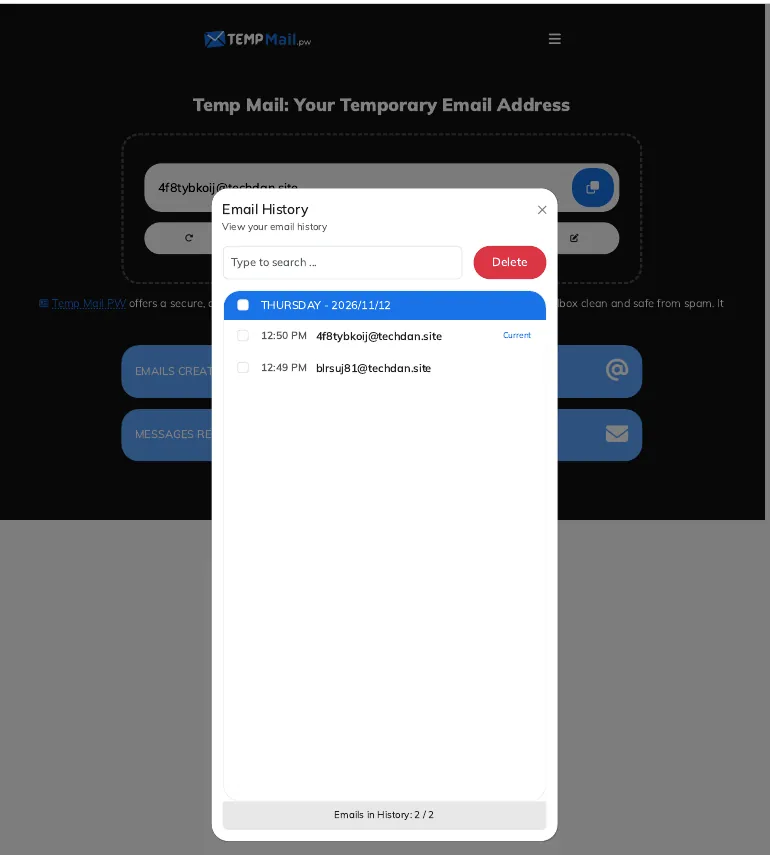
If you closed the tab too soon, open History to see recent addresses and switch back to one while it is still live. The free plan keeps a short list and paid plans keep more.
Use the home page address for this, not a 10 minute one. A 10 minute mail inbox closes before most of Facebook’s follow-up emails arrive, and a signup is only the first email Facebook sends. The home page address has no countdown, and its messages stay for 7 days, which gives you time to confirm the account and switch the address. See our 10 minute mail guide for the timer choice.
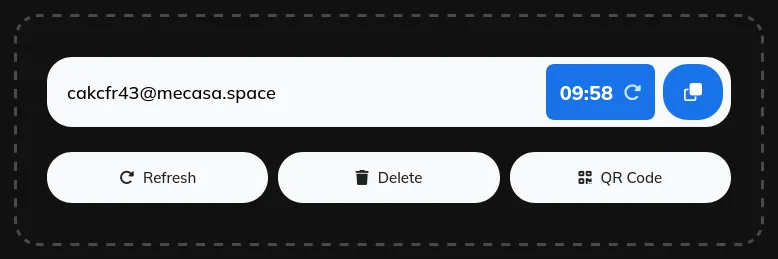
If you want the address to be readable, custom temp mail lets you type your own name and pick a domain. It does not change whether Facebook accepts the address. What matters to a domain check is the domain after the @, not the name in front of it.
What happens when the inbox dies
The account keeps working after the inbox dies. What you lose is the way back in. Password resets, login alerts, and the codes Facebook uses to let you back into a locked account all go to the address on file, and a dead address receives none of them.
Facebook can lock an account for unusual activity at any time, and the code to reopen it goes to the email on the account. If that inbox expired weeks ago, the code has nowhere to go.
There is another way in, but it is slow, and it may fail. Start at the login page, click Forgot password, and tell Facebook you no longer have access to the listed email or phone. Facebook then asks for a new contact it has never seen on the account, plus proof of who you are, a government photo ID or a short selfie video.
Use a device and a network Facebook already knows. One recovery guide puts the ID review at 24 to 96 hours, and another warns plainly that no path is guaranteed and there is no phone hotline.
Deleting the temp email does not delete the Facebook account. The old post on this blog got that wrong. The account stays, tied to a dead address, with the friends, photos, and messages still in it.
The day you get locked out, the dead address is the whole problem.
Switch to your real email before it expires
If you are keeping the account, move it to a permanent address while the temp inbox still works. The steps are:
- Click your profile picture, then Settings and privacy, then Settings.
- Open Accounts Center, then Personal details, then Contact info.
- Choose Add new contact, then Add email address, and enter your real address.
- Enter the confirmation code Facebook sends to your real address.
- Back in Contact info, select the temporary address and choose Delete email. Facebook may ask for your password.
Adding a mobile number in the same place gives you a second way back in. Do the switch the same day you sign up, while the home page address still works. A 10 minute inbox gives you no window at all.
What can go wrong
Wait two minutes before doing anything. Some senders queue their mail. Then check the address for typos and check the spam folder. Ask Facebook to send the code once more.
If you have already asked several times, Facebook suggests waiting a day. Then try another domain. If the second domain fails too, the site is blocking the provider. Use a real address you control.
A temporary email Facebook signup meets the same problems. One more failure is specific to this platform.
Facebook can lock an account right after signup if it flags the activity as unusual. The code to reopen it goes to the temp inbox, so keep the tab open until the account is confirmed and you have added a real email or a phone number. Closing the tab early leaves the account with no way to reach you.
Facebook wants the name you use day to day. Facebook can ask for ID on an account under a name that is not yours, and if you cannot provide ID under that name, Facebook can shut the account down. Use your own name.
When not to use temp mail
Do not use temp mail for an account you plan to keep. Your main Facebook account, a business Page, or anything holding friends, photos, groups, or purchases belongs on an address you own. You manage a Page from your personal account, so a locked personal account can lock you out of the Page too.
Two-factor authentication belongs on an authenticator app, not in a disposable inbox. A code that arrives in an inbox that expires is no second factor at all.
Never use it to run a second account. Facebook’s rules allow one personal account per person. Facebook can restrict or disable a second one, and the restriction can reach the first account too.
Temp mail vs alias vs real email
Three kinds of address can hold a Facebook account. Our What Is Temp Mail guide covers the full comparison.
| Temp mail | Email alias | Your real inbox | |
|---|---|---|---|
| How long it lasts | Days at most on the home page, minutes on a timer page | As long as you keep it on | Permanent |
| Can you reply? | No, receive only | Usually, depends on the provider | Yes |
| Can you recover the account? | No | Yes, it forwards to you | Yes |
| Best for | One signup, then switch | A Facebook account you keep | Your main account, business, recovery |
Frequently asked questions
Can I use temp mail for Facebook?
Yes, for the signup and the confirmation code. Paste a temp address into the form, confirm it in the temp inbox, and the account is yours. The account outlives the inbox, so switch it to a permanent address the same day.
Does Facebook accept temporary email addresses?
Facebook publishes no list of refused domains, and this article tested no signup, so acceptance is unproven. Some disposable domains fail at signup, or the confirmation email never arrives. If Facebook rejects your address, try another domain once, then use a real address you control.
What if the confirmation code never arrives?
Wait two minutes, then check the address for typos and the spam folder, and ask Facebook to send the code once more. If you have already asked several times, wait a day, then try another domain. If that fails too, use a real address you control.
Can I make a second Facebook account with temp mail?
You cannot. Facebook’s rules allow one personal account per person, under the name you use day to day. Facebook can restrict or permanently disable a second one. If you need a presence for a business or a project, create a Page from your one account instead.
What happens to my Facebook account when the temp mail expires?
The account keeps working, but Facebook can no longer email you password resets, login alerts, or recovery codes. Recovering it then means identity checks with a photo ID, and that path is slow and may fail. Add your real email or a mobile number before the mailbox expires.
Is it legal to use temp mail for Facebook?
Yes, in general, since no law bans disposable addresses. Facebook’s terms are a separate matter: breaking its rules can lead Facebook to restrict or disable the account. That is a site policy, not a legal issue, and this is general information, not legal advice.
One signup, then switch the same day
Open the home page, get one address, and use it for a single Facebook signup. Confirm the code, then add your real email in Accounts Center before you close the tab.
Subscribe to our email newsletter to get the latest posts delivered right to your email.
Comments