In short
- Your address is live for 10 minutes from the moment this page loads.
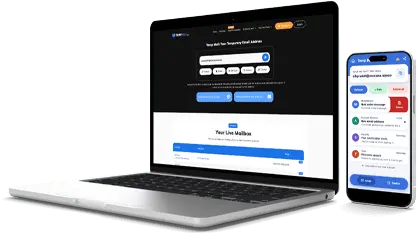
- Messages arrive in the inbox above, usually within seconds.
- When the timer hits zero, the page refreshes with a fresh address and an empty inbox.
What Is 10 Minute Mail?
10 minute mail (sometimes written as 10minutemail) is a disposable email address that lives for exactly ten minutes. It receives real mail while the countdown runs, so verification links and one-time codes land in the inbox above like any normal mailbox. Then the address dies and its messages go with it. That short life is the point: the site you signed up for keeps nothing that leads back to your real inbox.
Ten minutes became the default window for throwaway email because it matches the job. Most confirmation emails arrive in seconds, and most sign-up forms take a minute or two to fill in. The window is long enough to finish the task and short enough that you never have to remember to delete anything.
How the 10 Minute Timer Works
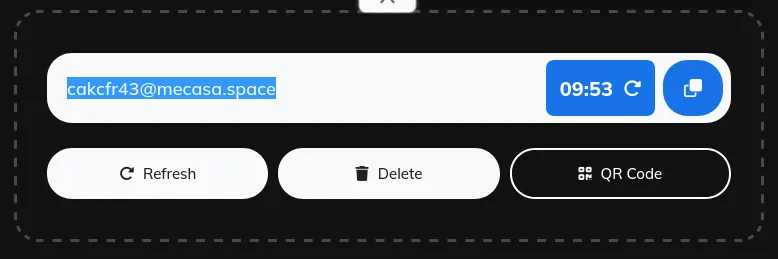
- Open this page and your temporary email address is ready at once, with the countdown already running.
- Copy the address. Use the copy button and paste it into the form that asked for an email.
- Watch the countdown. The timer next to the copy button shows how much time is left.
- Need more time? Click the refresh icon next to the timer to restart the countdown at 10 minutes.
- When time is up. The page refreshes with a brand-new address and an empty inbox.
When 10 Minutes Is Enough, and When It Is Not
Ten minutes covers the classic cases: a verification code, a download link, a newsletter that wants your address before it shows the content, a service you want to try once. If the code arrives in seconds, you finish in under a minute and the address deletes itself.
It is not enough when the sender is slow. Some sites queue their mail for several minutes, and some flows send a second email after you confirm the first one. If you are still waiting when the timer runs low, restart it with the refresh icon, or pick a longer window before you start: 20 minute mail for trials and two-step sign-ups, 30 minute mail for slow confirmations. For a single code that arrives fast, 5 minute mail is even quicker to clean up.
What a Timed Inbox Cannot Do
A timed inbox receives mail. It cannot send it. That is deliberate: a receive-only inbox sends nothing, so no one can use it to spam other people. AdGuard notes that some sites block temporary email domains, so if a site rejects your address, try another domain or a fresh address.
Expiry is final. Once the timer ends, the old address and its messages disappear, and no one can reopen them. So never use a temporary address for banking, work, password resets on real accounts, or anything you may need to recover months later. For those, use your permanent email.
If you want an address you can return to, create a custom temp mail address from the free temp mail home page instead.





 Play Store