EDU Mail Generator

Generate a Free EDU Email Address

An edu mail generator creates a temporary email address on education-style domains in seconds. Pick an alias, choose a domain, and use the address for student discounts, education offers, free trials and sign-ups, without sharing your real email. No registration, no student ID, no personal information.

One honest note first: the addresses end in .edu.pl, they come from no school, and they prove no enrolment. This is a privacy tool for sign-ups and testing, not a university account.

Ang iyong bagong email ...
Letters and numbers only, 2 to 30 characters.
Gusto Mo Pa? Mag-upgrade ← Back to my inbox

How to Generate an EDU Email Address

Creating your own temporary EDU email address takes less than a minute:

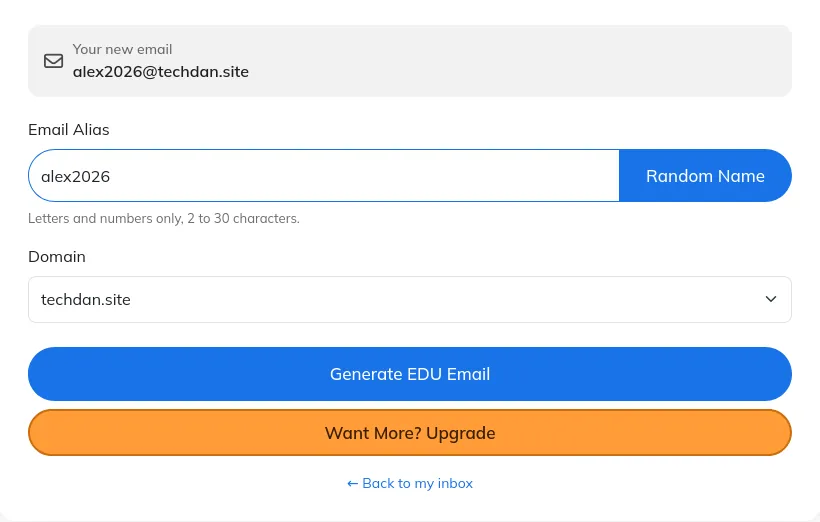
  1. Enter your alias. Type the name you want. Use letters and numbers only, or tap "Random Name" to generate one.
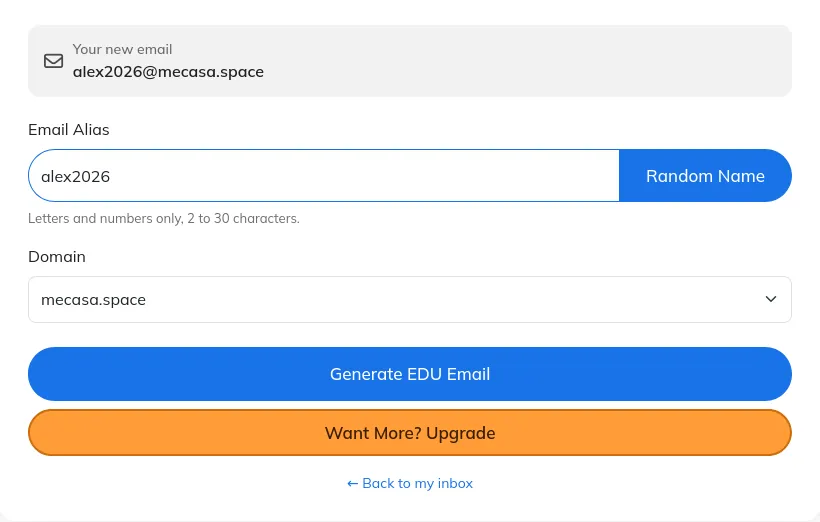
  2. Select a domain. Choose from the available EDU domains on this page.
  3. Click "Generate EDU Email". Your new address is created and set as your active inbox.
  4. Start receiving emails. Copy the address, use it on any website, and new messages appear on the home page automatically.

Why Use an EDU Mail Generator?

  • Student discounts and offers. Use a throwaway address for education deals, free trials or student software, so promotional emails never reach your personal inbox.
  • Protect your privacy. Keep your real email address out of data leaks and marketing lists when you sign up for services you do not fully trust.
  • Test education sign-ups. Developers and testers can create readable addresses to check verification emails and education-gated sign-up flows quickly.
  • Easy to remember. A name you choose yourself is far easier to read out, type or recall than a random string of characters.

What an EDU Temp Mail Cannot Do

Be clear about one thing. This generator creates a temporary address on education-style domains that end in .edu.pl. It does not issue a real university email account, and it does not prove you are a student. In the United States, only eligible postsecondary institutions can hold an official .edu domain, and a disposable address cannot replace one.

Stores that check enrolment through a university portal will still ask for a real student login, and that is how it should be. Use this tool for sign-ups, trials or testing, and use your real institutional email wherever enrolment actually matters.

EDU temp mailReal university email
Who issues itThis generator, instantlyA university, after enrolment
Proves student statusNoYes
Sign-up neededNoYes, with enrolment
How long it lastsTemporary, then goneFor the course of study

If a shorter window fits the job better, a 10 minute mail address or a 20 minute mail address does the same work without the EDU domain. If you want a plain address with your own name, try a custom temp mail address from the free temp mail home page.

EDU Mail Generator: Frequently Asked Questions

It creates a temporary, disposable email address you can use for education-related sign-ups: student discounts, free trials, software offers or account verification, without sharing your real email address.

This page creates a temporary address on education-style domains ending in .edu.pl. It is not a university account and it does not prove student enrolment. In the United States, only eligible postsecondary institutions can hold an official .edu domain.

You can use the address anywhere a temporary email is accepted. Some stores verify student status through a university portal or a real .edu inbox, which a temporary address cannot replace. Check the store's requirements first, and never claim enrolment you do not have.

The address works like the other temporary addresses on this site: it receives mail in your inbox on the home page and it is not permanent. Save any code or link you need before you move on, and never use it for an account you need to recover later.

Free domains are available to everyone. Paid plans include premium domains and extra features, such as using your own domain.

How to generate an EDU email address in 3 steps

Step 1: type your alias for your edu mail generator address
Step 1: type the name you want. Letters and numbers only.
Step 2: choose a domain for your edu mail generator address
Step 2: choose a domain. Guest, Free and Premium domains are grouped.
Step 3: your edu mail generator address is created, confirmed by the success message
Step 3: click Generate EDU Email. Your new address becomes your active inbox at once.

Mag-Go Premium. Manatiling Pribado.

Mga Custom at Premium domain at isang buong API, na ginawa para sa mga taong sineseryoso ang privacy.

Register Now
Temp Mail sa laptop at mobile app